G-spot


 Introduction
 Download
Master Your Pleasure. Anywhere.
Seamlessly connect your HoneyPlayBox devices to unlock your bliss in one tap.


Quick Start Guide - Ready in Seconds
How to use HoneyPlayBox Remote app
1.What is HoneyPlayBox Remote App?
The Honey Play Box Remote app is an innovative platform that empowers users to control Honey Play Box toys via touch, sound, or motion, regardless of their location.
You can connect toys via Bluetooth for close-range control, whether at home or in public. You can also share control over the Internet for remote play from anywhere in the world.
2.Homepage Introduction
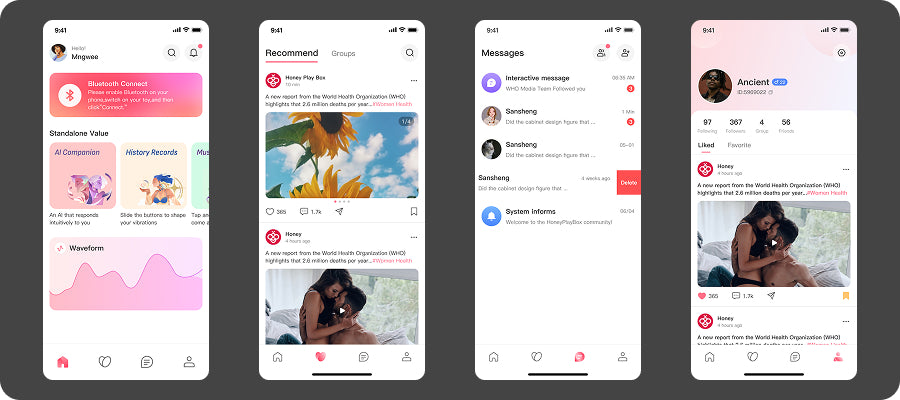
The homepage mainly displays Bluetooth connection, waveform square, AI companion, and historical data. Switch to the bottom navigation bar to enter the community to view official content and follow topics. In addition, you can socialize inside, chat via text, voice, or video. We have set up various custom functions in the personal center, and you can change your avatar, ID, background, privacy leve, etc.
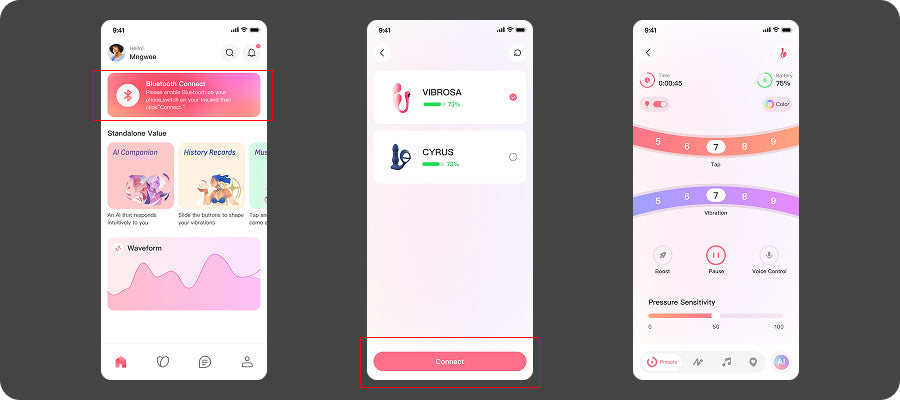
2.1.How to Connect a Toy?
1. Turn on your Honey Play Box toy.
2. Enable Bluetooth on your smartphone.
3. Launch the "Honey Play Box Remote" app.
4. Tap the "Bluetooth Connect" button to search for available devices.
5. Once your Honey Play Box toy appears on the list, tap on it to connect.
6. Connection successful.
2.2.Waveform
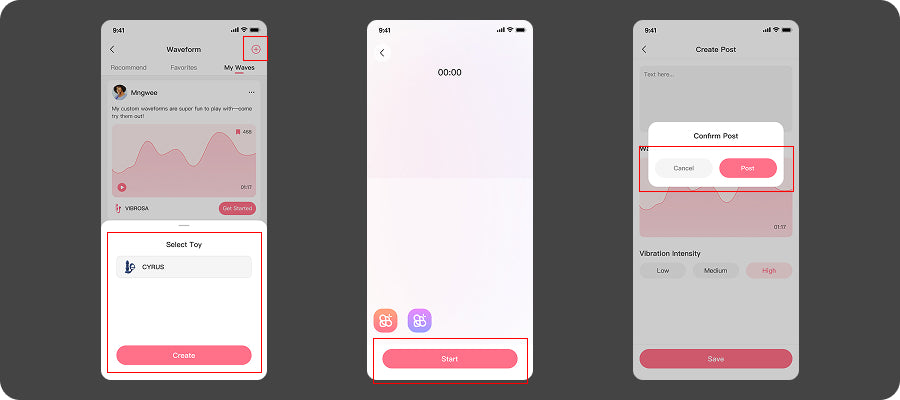
You can create your favorite waveform diagrams here and share them with other users. You can also use waveform diagrams shared by others.If you think the waveform created by others are very good, you can also like and bookmark them. The offcial wll also release offcial recommendedwaveform for you to choose from.
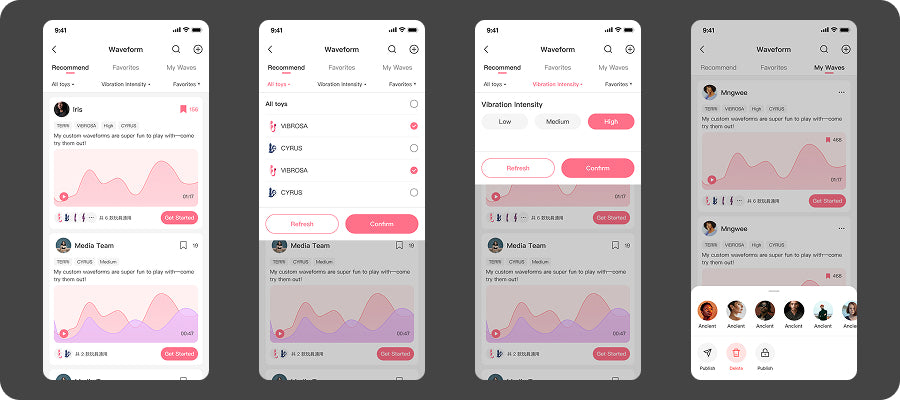
You can click the "t" in the upper right comer to create a waveform diagram and share it to the waveform diagram square.
2.3.AI companion
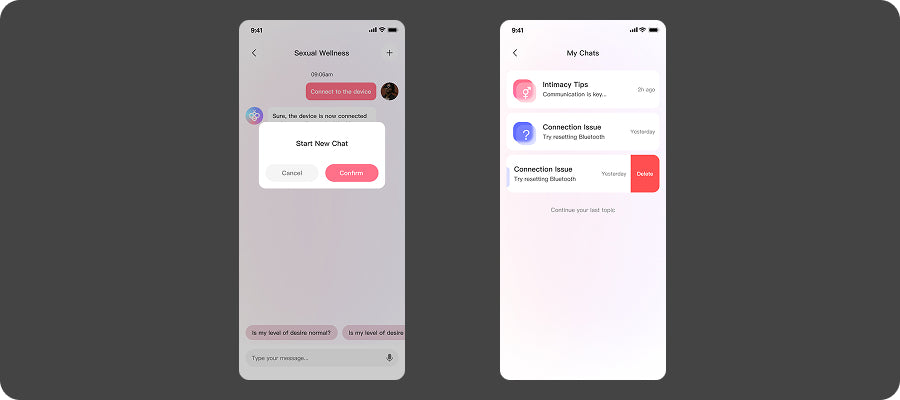
AI companion takes the gender health content of the official website blog as the core Knowledge Base, andprovides users with 7x24 real-time and private health services through Al technology, answering users' variousconfusions in sexual knowledge. In addition, you can also ask questions about the use of the APP

You can click the "" button in the upper right corner after this conversation ends to start a new chat, oryou can find your previous chat history in "My chats" history and browse the AI's answers for you.
3.Common function introduction
Connecting via Bluetooth unlocks a range of additional features on the HoneyPlayBox Remote app,delivering a richer and more enjoyable experience that simply isn't available in offline mode
a.Public elements
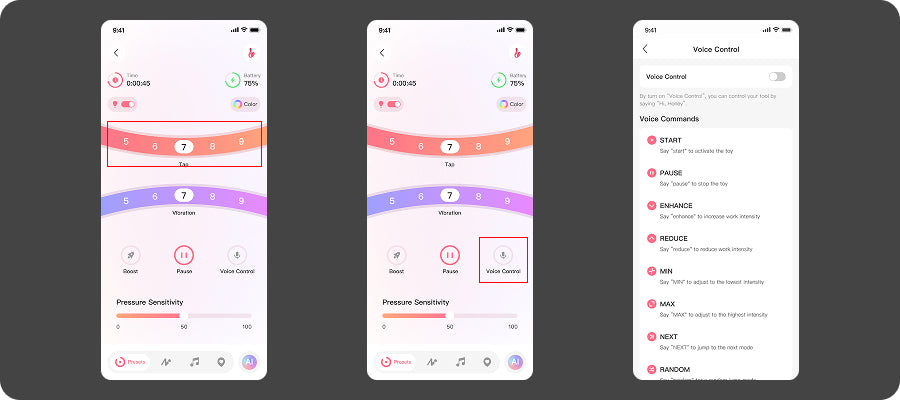
Slide the control dial to explore a variety of vibration patterns and intensitiesGet proactive with pelvic floor training through the built-in pressure sensor;Tap the "Rocket " icon for a 20-second thrill ride; (Most toys feature two control dials, while some toys only have one) And for truly hands-free fun, just say the magic words: "Hi, Honey."
b.Free touch
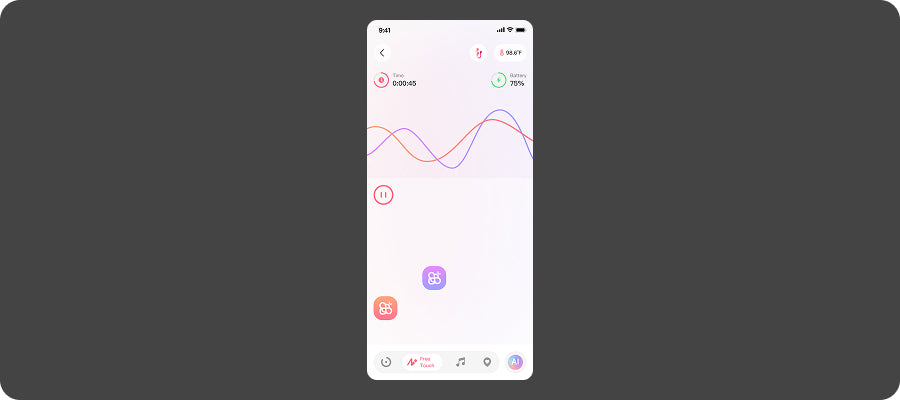
Smply slide the buttons to explore adustable vbrations that respond to every subtle shit, creating sensations you l feel deeply with each touch
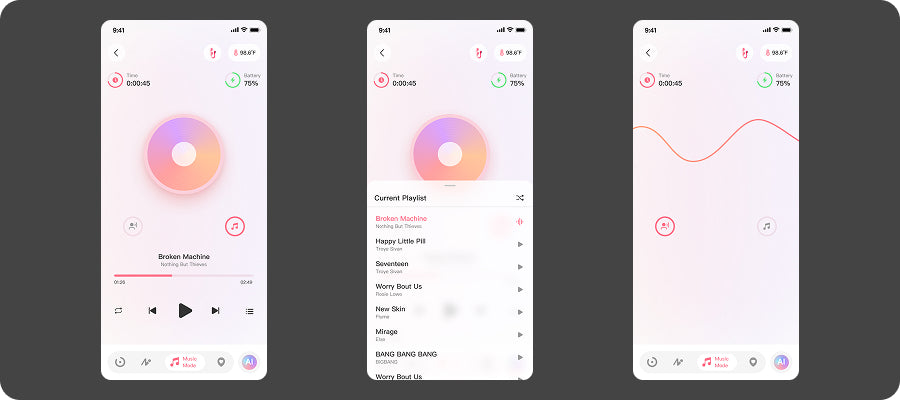
c.Music Mode
Play your favorite song from your phone or Spotify and let your toy sync perfectly to the beat, pulsing in rhythm. Feel both your body and mind unwind as the music takes over.
d.Remote play
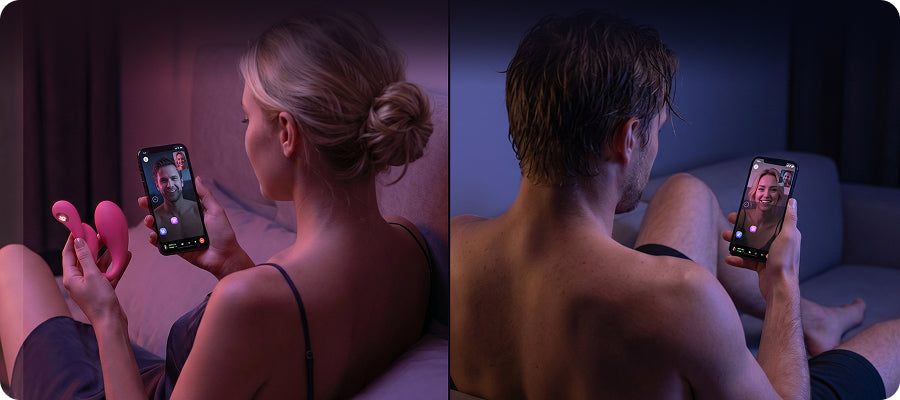
If you find yourself separated from your partner (even if they don't have a Honey Play Box toy or this app),there are numerous ways to keep the spark alive across the miles:synchronized experiences, video chats, voice calls, and so much more
e.Send Invitation to Your Partner
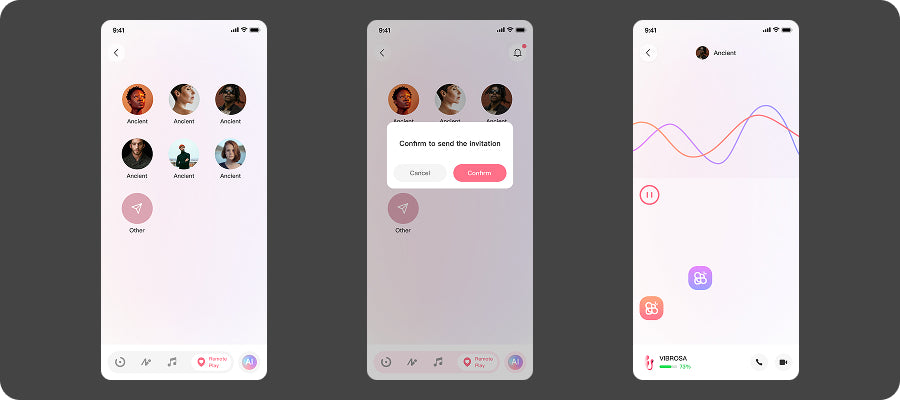
You can easily transfer control of HoneyPlayBox toy to a friend by tapping their profile picture or sending them a text linkRegardless of their location, they can create a control connection with you.
f.Voice & Video Call
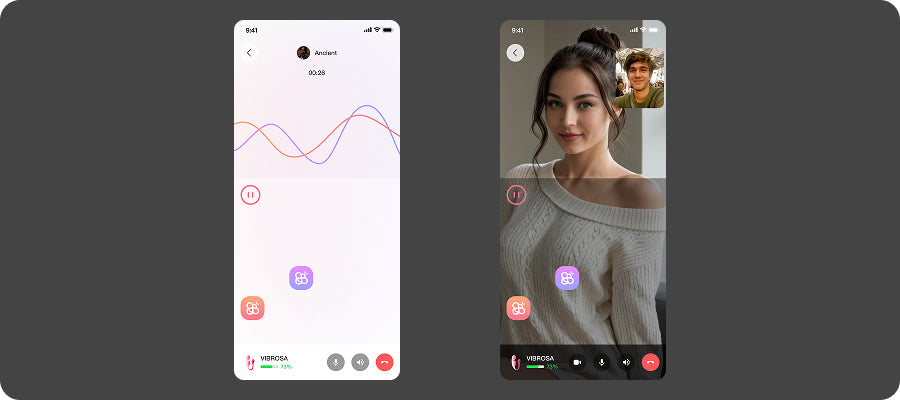
After your invited friend downloads the app, you can enjoy a video or voice call with them while they control your toy. When you're on a voice or video call, it won't affect their ability to control your toy.
Solo Immersion