G-spot


 Introduction
 Download
Vibe-Connect FAQs
Vibe-Connect is designed for cam models to deliver high-interactivity shows. It integrates real-time toy syncing, animated tipping features, and multi-platform support—making it easy to boost viewer engagement and earnings.
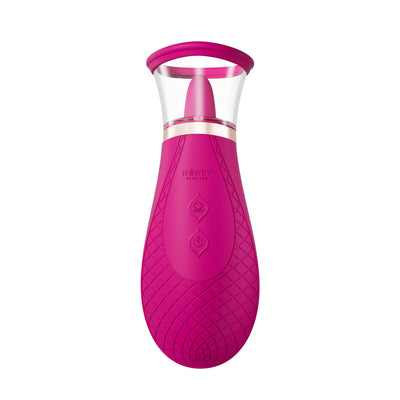
Yes. Vibe-Connect isHoney Play Box's strategic partner, bringing interactive camming toys and cam models closer than ever before. Honey Play Box recommends their own app-controlled sex toys for use on the platform due to theircompatibility and performancewith the Vibe-Connect system.
Vibe-Connect offers:
- Built-in OBS
- A customizable gift animation system
- VIP alerts
- A gamified task-based tipping system
- Integrated Chatbox
- Real-time syncing with sex toys to driveperformance-based earnings
Yes. Vibe-Connect recommendsHoney Play Box toys, fully optimized for interactive features includingtip-triggered responses and tiered gift animations.
Viewers send token-based gifts (1 to 500+ tokens), which unlock escalatingvisual animationsand strongertoy vibrations. The higher the tier, the more immersive the experience for both the model and the audience.
Yes. Streamers can createmissions—like unlocking a special performance—using Vibe-Connect'stask-based tippingfeature. Viewers can track progress via theLove Meter, adding excitement and incentive.
Vibe-Connect includes:
- VIP Entry Alerts
- Top Tippers Leaderboard
- Fan Club Shoutouts
- Integrated chat withmessage filtering and tip highlightsAll designed to maximize interactivity and fan engagement.
Yes. Vibe-Connect iscompletely freeto use and includes premium performance tools withno hidden fees. Just connect your gear, set up your stream, and start engaging your audience.
Vibe-Connect supports popular camming platforms, including:
Joystick.tv,Chaturbate,CamSoda,Camversity,MyFreeCams,and more.
- Open the Vibe-Connect app — [Download here].
- Enter your username and password (Password must be 6–18 characters, cannot contain 3 or more consecutive numbers/letters, and cannot include special characters such as spaces, tabs, or line breaks)
- ClickLog in- If you don't have an account, clickSign upto register
- After logging in, clickConnect Your Toyin the top right corner
- Connect the USB Bluetooth adapter to your Windows computer
- Turn on your toy and wait for its light to flash.
- Find your toy in the device list and clickConnect- Once connected, the toy's name and status will be displayed
- Go to theChatbox- Click theGenerate Control Linkicon
- Select the validity duration
- Copy the link and share it with your trusted partner
- Once they click the link, they can start controlling your toy
- In theCam Sitemenu, click to add a platform (Chaturbate, Joystick, etc.), then clickStream- Enter your platform login credentials or authorization code- Set up your tipping rules- ClickSaveand return to the main interface
- Go to the OBS Control page and enter the OBS WebSocket address and port
- Make sure WebSocket is enabled in OBS
- In Vibe-Connect, link tips/triggers to OBS scenes
- Click Save — scenes will now switch automatically during streaming
- Ensure the toy is charged and powered on
- Check that Bluetooth is enabled and not occupied by another app
- Restart Vibe-Connect and try again
- Restart your computer/phone if the issue persists
- On Windows PCs, check if the USB is properly inserted and not in use
- If needed, unplug and reinsert the USB
- ClickDisconnectin the control interface- Or turn off the toy / exit Vibe-Connect- Control links automatically expire after 2 hours
- Open theSettingsmenu (top right) and selectLanguage- Select the desired language from the dropdown
- ClickSaveto apply the changes
Yes. The built-in OBS works smoothly without extra plugins or setup.
- Ensure no third-party OBS plugins are installed to avoid conflicts
- Avoid plugin conflicts in streaming settings
- Use a clean installation of OBS when possible
Not yet. Vibe-Connect is currently anall-in-one standalone software. Separate extensions and plugins are in development.
- Open the MyFreeCams live page and log in
- ClickImportin Vibe-Connect
- MFC requires being logged in before streaming info can be read
- Tip simulation is not supported on the control side
- Ensure Vibe-Connect is running and the cam site live page is open
- Confirm the plugin captures tips and chats correctly
- Verify that tip rules are saved
Yes. Vibe-Connect supportsmulti-toy connections. You can switch toys mid-stream, but update the Tip Rules for the new toy.
- Yes, Vibe-Connect and Stream Master can run together without conflict
- However, they cannot stream to the same platform at once
- If using Vibe-Connect's built-in OBS, you cannot install the Lovense OBS Toolset plugin (conflict issue)